Music
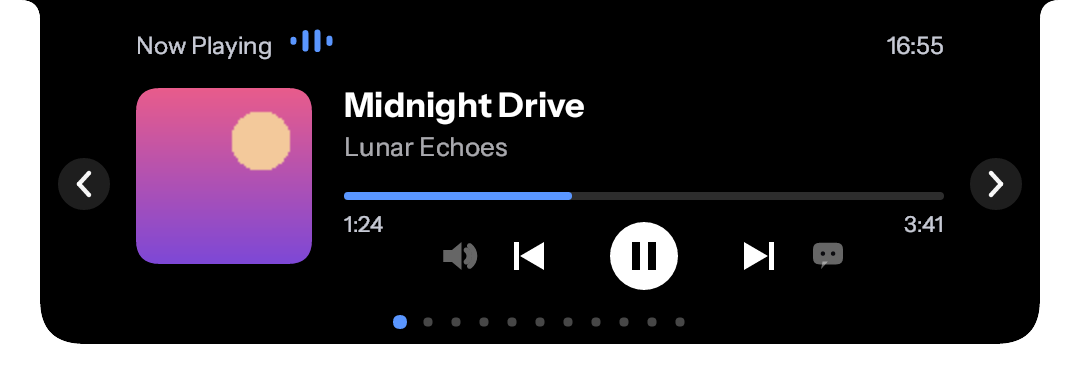
Now playing from Spotify, browsers and other media apps, with the cover, playback controls and a sound output switcher. Synced lyrics from LRCLIB and lrc.red scroll along with the song, and Japanese and Korean lyrics can be shown in romaji.
Music with synced lyrics, clock, water, to-do, file shelf, notes, calendar and prayer times in one small carousel. One lightweight .exe, and your data stays on your PC.
Move your pointer over the notch to open it, then use the arrows to change slides. With a keyboard: Tab to the preview, Enter to open, Left and Right to change slides, Escape to close. This is an interactive design preview in your browser, not the real app. Open it full screen.
There is an interactive design preview of the interface, best on a computer with a mouse. Open the preview.
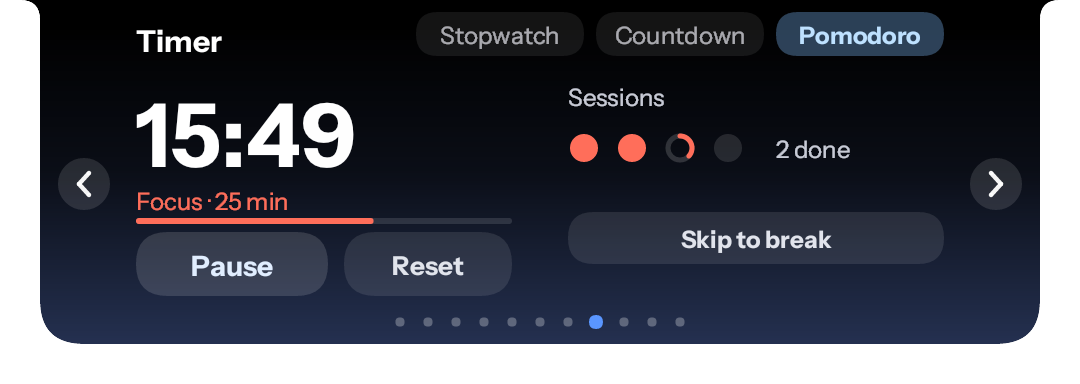
Hover the top edge of the screen and the notch opens into a carousel of small apps. Move away and it shrinks back; a maximized or fullscreen window makes it a thin line. These are the real slides, drawn by the app itself.
Now playing from Spotify, browsers and other media apps, with the cover, playback controls and a sound output switcher. Synced lyrics from LRCLIB and lrc.red scroll along with the song, and Japanese and Korean lyrics can be shown in romaji.
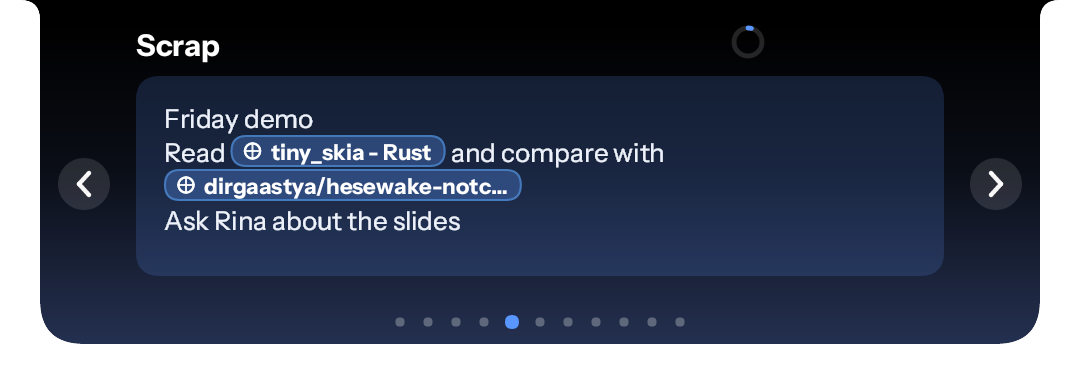
A small notepad for up to 3,333 characters. Pasted links become badges that show the page title, and Backspace removes a whole link at once. Fetching titles can be turned off in Settings.
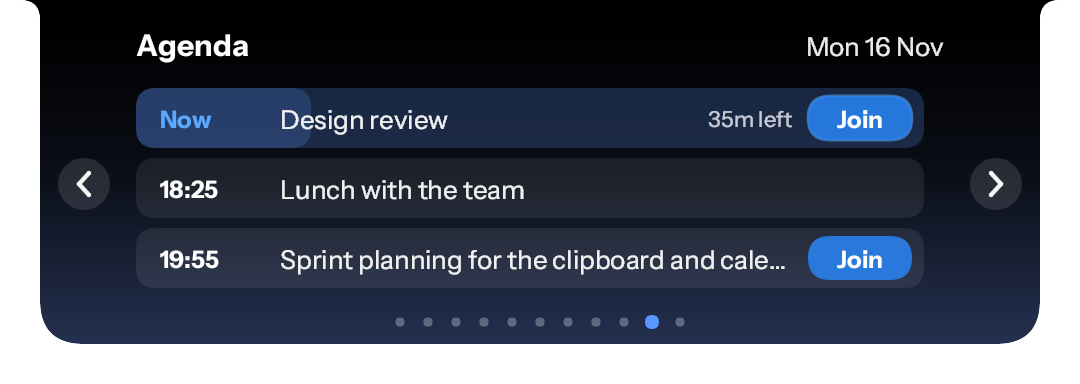
What is left on today's calendar, with a Join button for Meet, Zoom and Teams links. It reads the secret calendar link you paste, which stays in Windows Credential Manager.
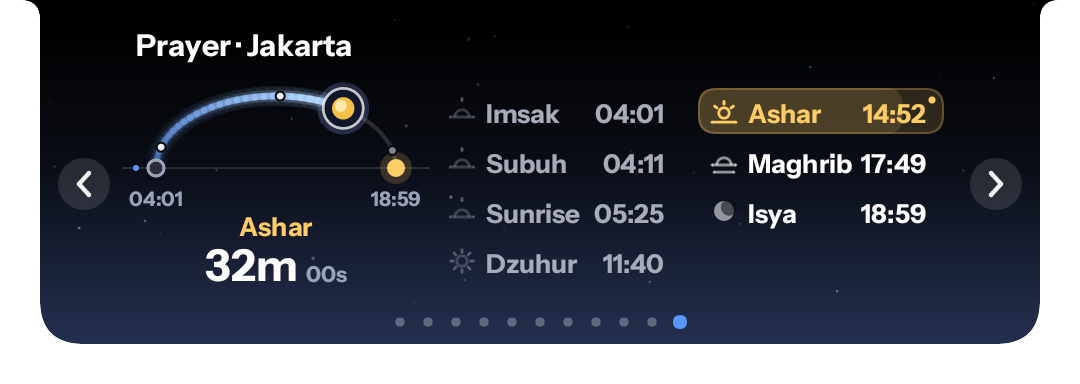
Times computed on your PC with the Kemenag parameters, a countdown in the last 15 minutes, a toast when a prayer starts and an optional adhan. Ramadan mode adds Imsak and Iftar.
A countdown, a stopwatch and a Pomodoro with automatic focus and break cycles. While the notch is closed, a small chip keeps the time.
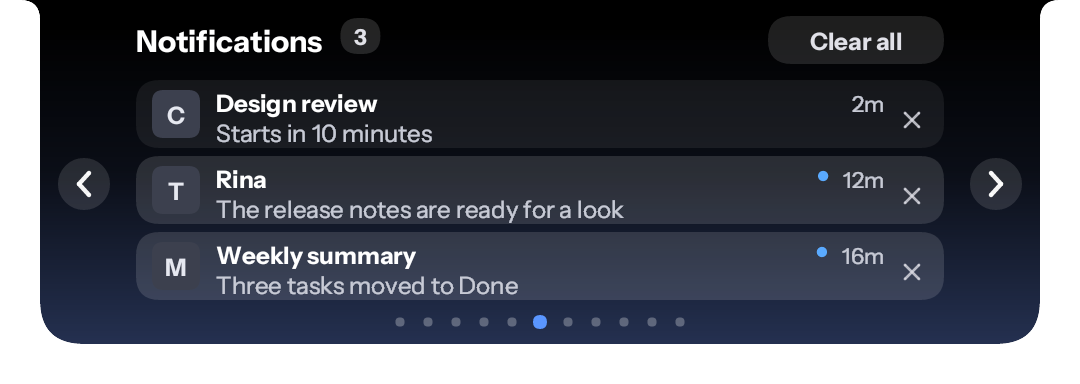
Windows notifications in a list with the app's icon or the sender's photo, and a click opens the app. Toasts also cover the charger, Bluetooth, lock keys, and a microphone or camera in use.
The latest installer is on the GitHub releases page, together with a SHA256SUMS file.
Windows 10 or 11. Download HesewakeNotch-Setup-<version>.exe from the latest release and run it. The app can also check for updates by itself and verifies the installer's SHA-256 before running it.
Compare the installer with the published checksum in PowerShell:
Get-FileHash .\HesewakeNotch-Setup-*.exe -Algorithm SHA256
The hash must match the line for your file in SHA256SUMS on the same release page.
Release installers are not code-signed yet, so Windows SmartScreen may warn about an unknown publisher. We are applying for free code signing for open source projects from SignPath Foundation. This page will state the final wording once a certificate is issued.
Until then, use the checksum above to confirm that your installer is the one that was built from this repository.
How releases are made:
main through pull requests that must pass the CI checks.The latest releases. The full changelog lists every version.
Hesewake Notch is built in the open, and these people made it better. Thank you.
Creator and maintainer of Hesewake Notch: the fork, the redesign, the releases and the project site.
Prayer times, Pomodoro mode, accent colors, slide hotkeys, clipboard history, the calendar reader, the Indonesian interface, update checks, mic mute and the CI and release workflows, among much more.
Romaji for Japanese lyrics (#7), Wibu mode (#47) and opening the app behind a notification when you click it (#59).
The Settings window (#51) and press feedback on the music buttons (#65).
The project this app grew from, released under the MIT License.
Want to help? Open an issue or send a pull request. See all contributors on GitHub.
Hesewake Notch keeps its data on your PC, in plain text files in %APPDATA%\hesewake-notch. There is no account, and the app has no telemetry or analytics. Every connection it makes is in this table, and only for the feature named:
| Feature | Who it talks to | What is sent |
|---|---|---|
| Update check | GitHub (releases) | A request for the latest release, at startup and every 24 hours. Can be turned off. Pressing Install downloads the installer and its checksum file. |
| Synced lyrics | LRCLIB, then lrc.red | The title, artist and length of the track that is playing (lrc.red gets the title and artist as a search). The requests name the app, its project link and the project's contact address, not you. |
| Artwork fallback | iTunes Search | The track's artist and title, only when the media app gives no artwork. The cover is then downloaded from the address iTunes returns. |
| Weather | Open-Meteo | The coordinates of the city you set. |
| Calendar | Your own calendar link | A request to the secret link you paste, kept in Windows Credential Manager. |
| Link titles in Scrap | The address you pasted | One GET to read the page title. Can be turned off in Settings. |
| Japanese dictionary | GitHub (Lindera releases) | A download, only when you press Get. |
As with any web request, the server on the other end can see your IP address. The clipboard slide keeps its list in memory only and skips copies that password managers mark as private. The source code is public, so any of this can be checked.